
How do I add my payment method?
Managing Your DonationScout Subscription Payment Method
The Primary Account Holder is responsible for adding and managing the payment method used to pay the DonationScout monthly platform subscription.
DonationScout uses Stripe to securely process subscription payments. Your payment information is encrypted and securely processed by Stripe. DonationScout does not store or have access to your full payment credentials.Important: The payment method described in this article is used only for your DonationScout platform subscription. Payment information used for check processing is managed separately and is not the same as your subscription payment method.
Invited users, including both Full Access and Restricted Access users, cannot add or manage a payment method.
Add a Payment Method
To add a payment method for your DonationScout subscription:
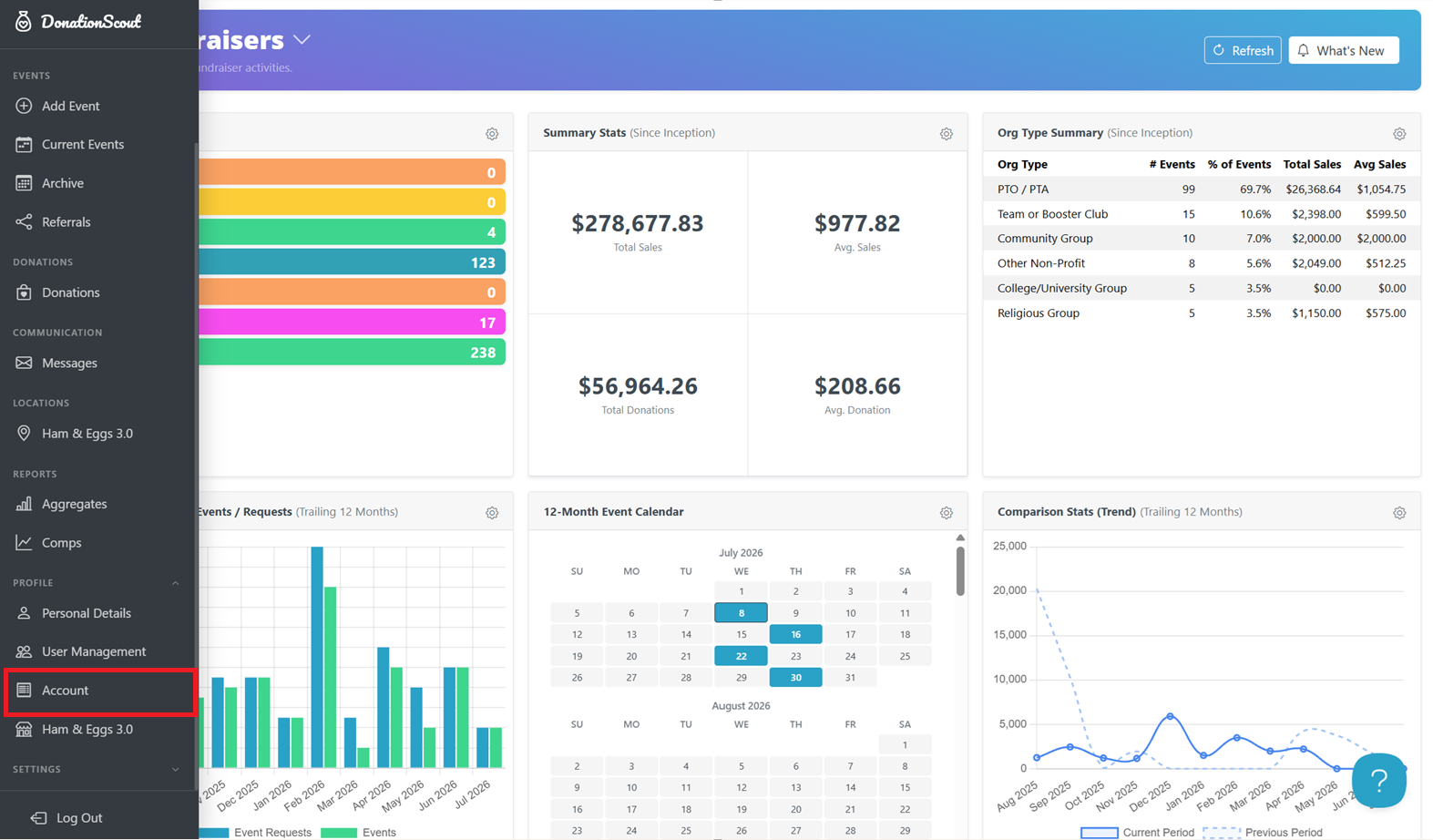
- Navigate to your Account page, or select Account from the Profile dropdown menu in the left navigation bar.
- Select Add Credit Card or ACH.
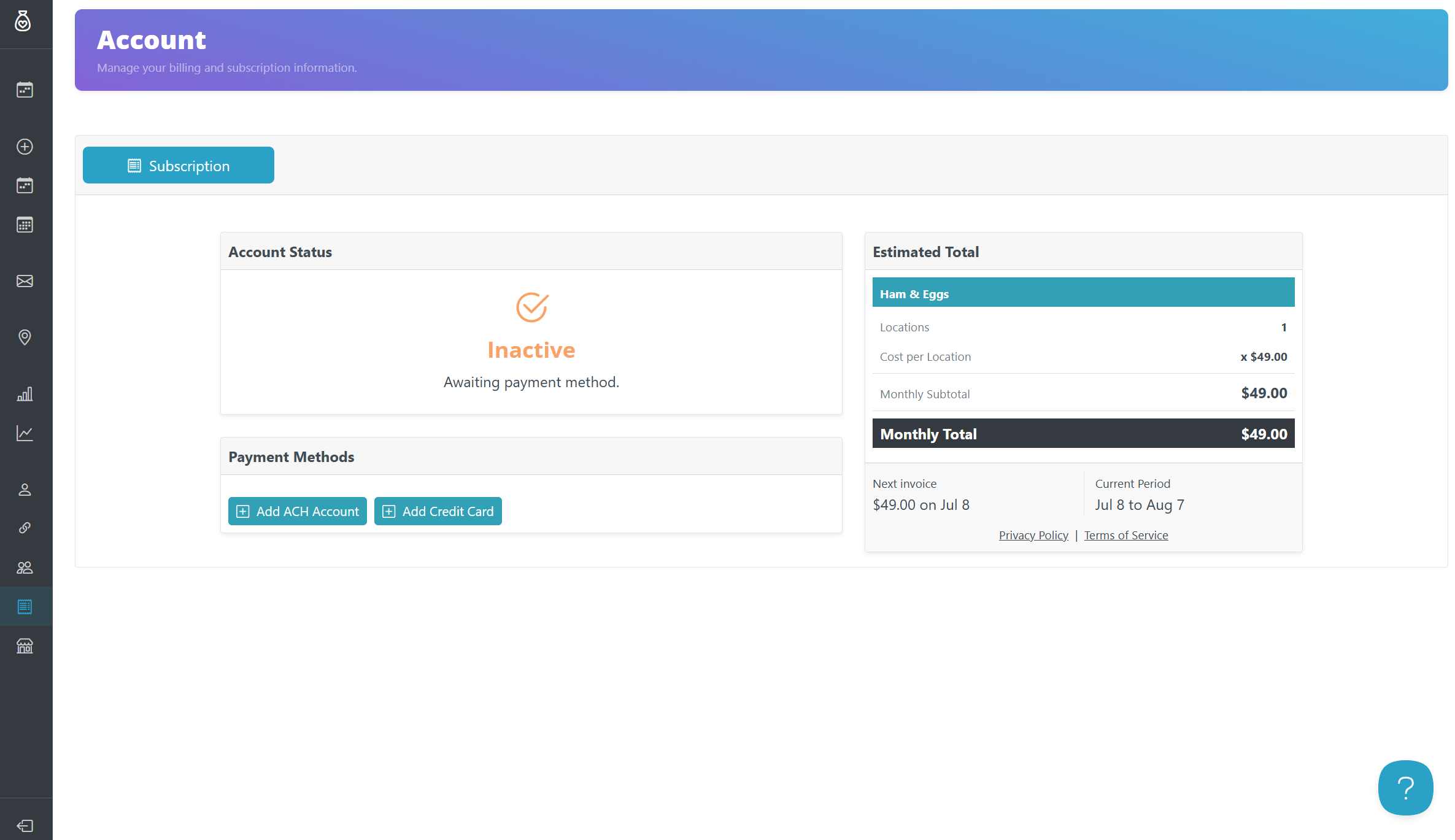
- Enter the required payment information and follow the prompts to complete setup.
Paying by ACH
If you choose to pay by ACH bank account, Stripe will ask you to verify the account using micro-deposits. Follow the instructions provided by Stripe to complete the verification process.
Once your payment method is connected, it will be used for your DonationScout monthly subscription payments.