
How do I remove a day?
Remove a Day from an Event Type Schedule
Account holders and invited users with Full Access can remove specific dates from an event type schedule to prevent organizations from booking on those days. Dates can be removed for an individual location or across all locations, and removed dates can be restored at any time if needed.
Note: Removing a day only prevents future bookings on that date. Any events that have already been approved or booked will not be canceled or affected.
Remove a Day from an Event Type
- From the left-hand navigation menu, select Settings.
- Click Event Types.
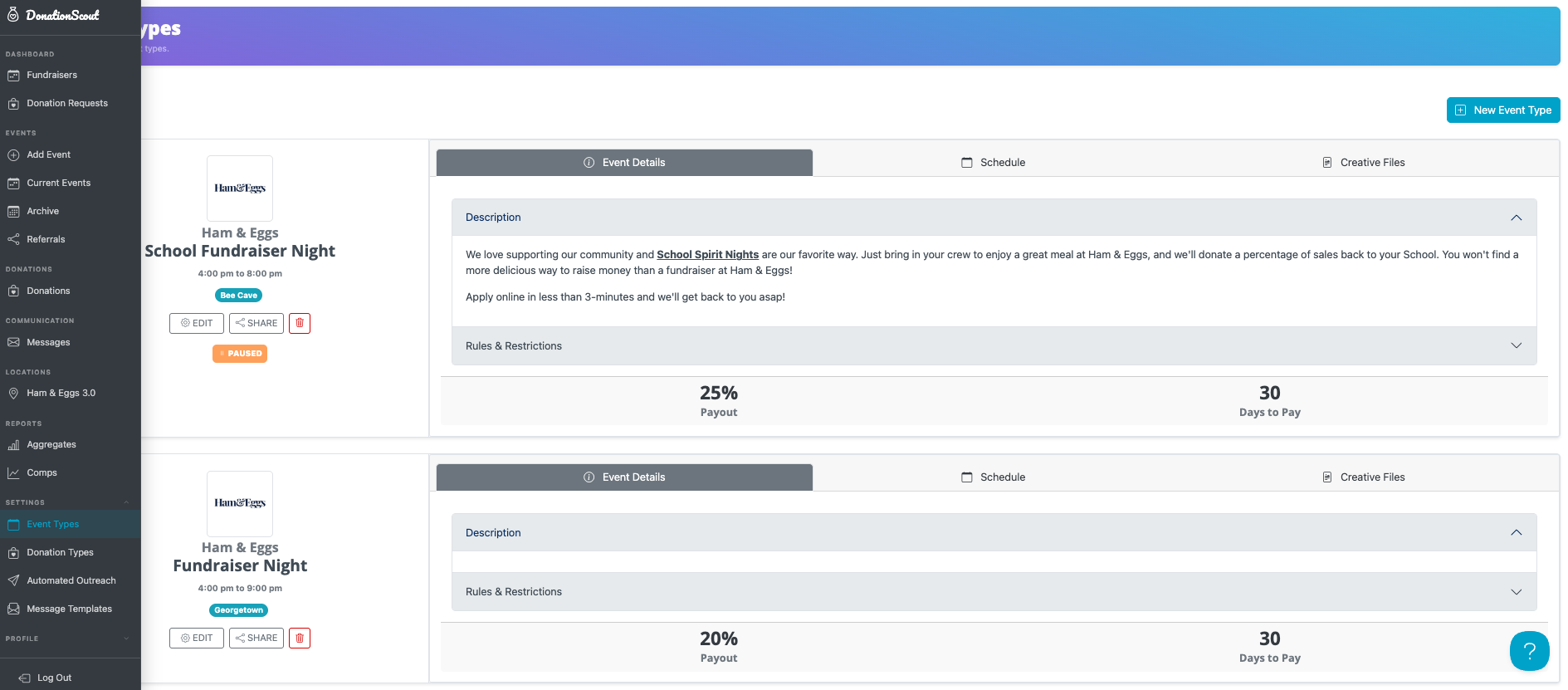
- Find the desired event type and select the Schedule tab.
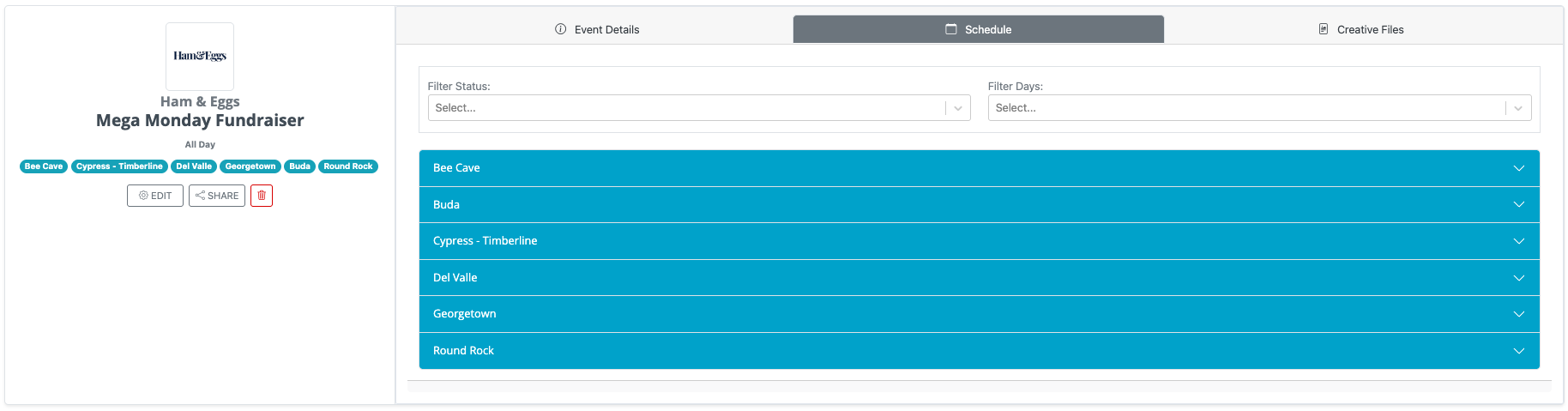
- If you are removing a date for one location only, select the appropriate location, then choose the date you want to remove.
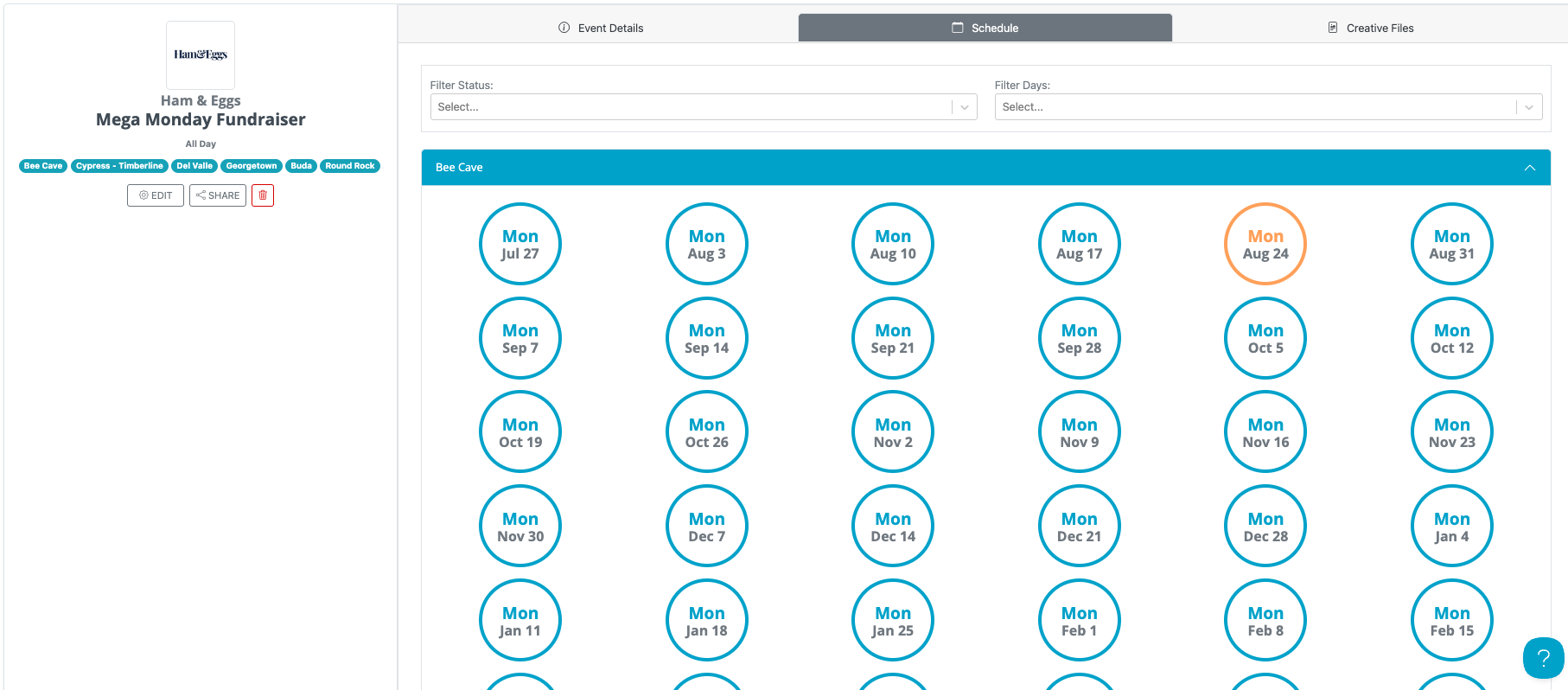
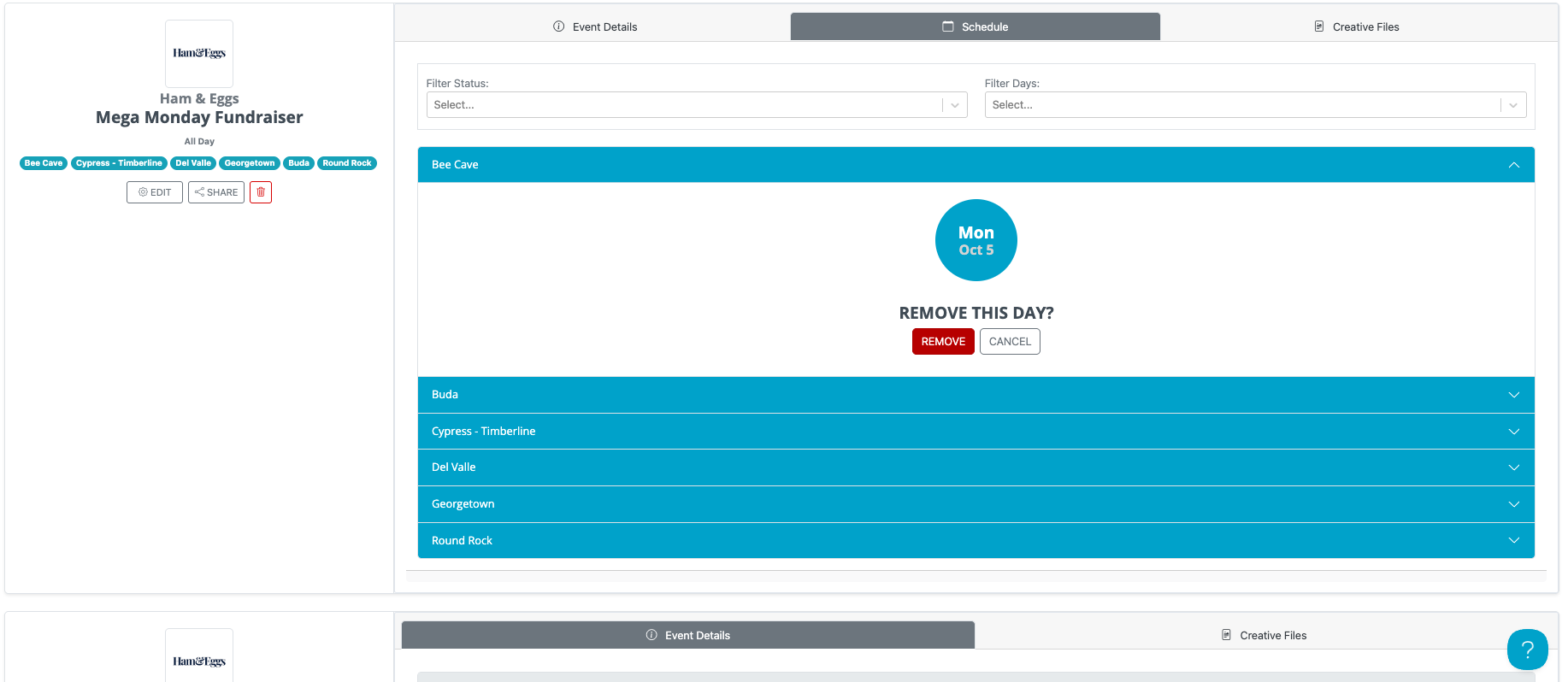
- If you are removing the same date for all locations, select the date for any location, then enable the Remove from all locations for this event toggle.
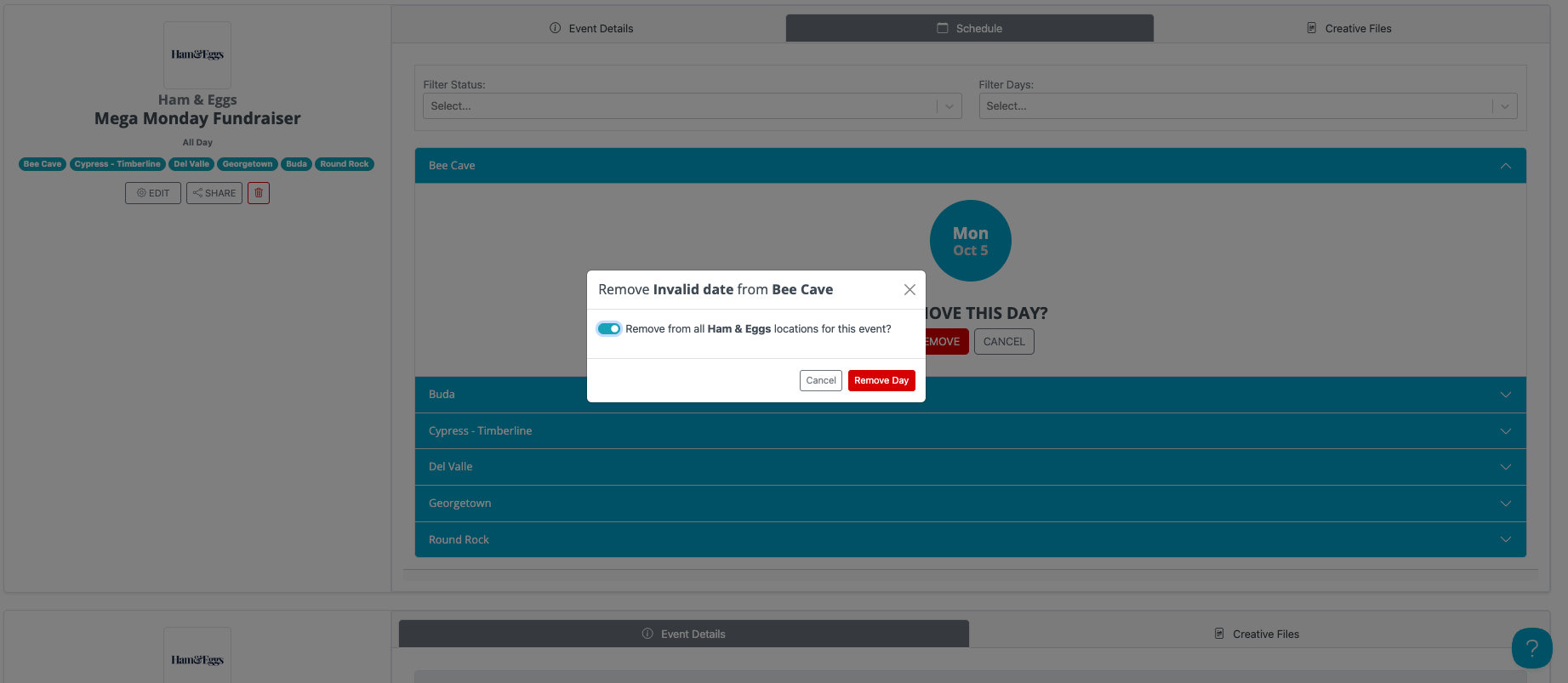
- Click Remove Day to save your changes.
The selected date will no longer be available for organizations to book. If needed, you can restore removed dates at any time.