
How do I change the date of the event?
How to Change a Scheduled Event
Need to update the date of an upcoming event? You can change a scheduled event directly from the event page.
Change the Event Date
- Navigate to Current Events.
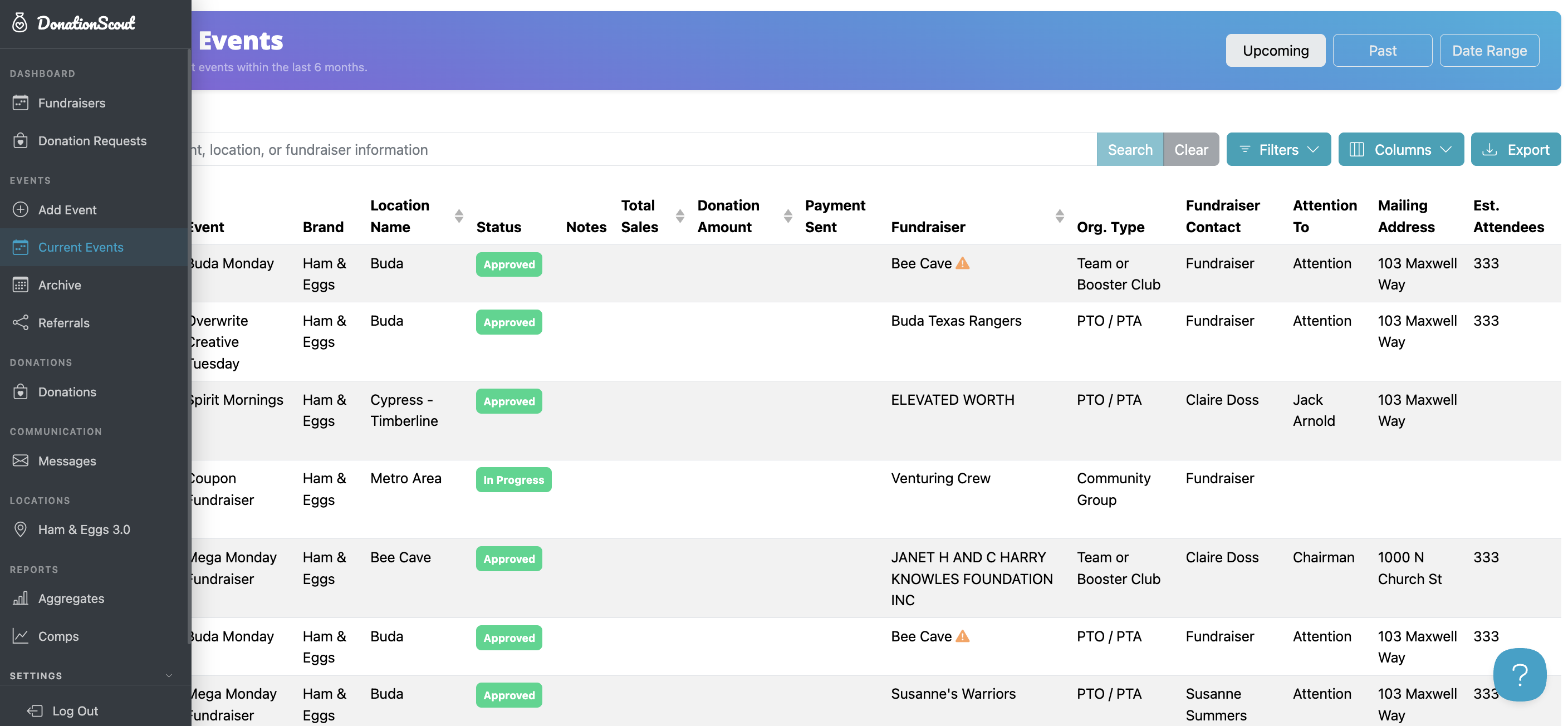
- Select the event you’d like to change.
- Click Edit under the date and time on the left side of the page.
- Select the new date. Note: Only dates that are currently available can be selected.
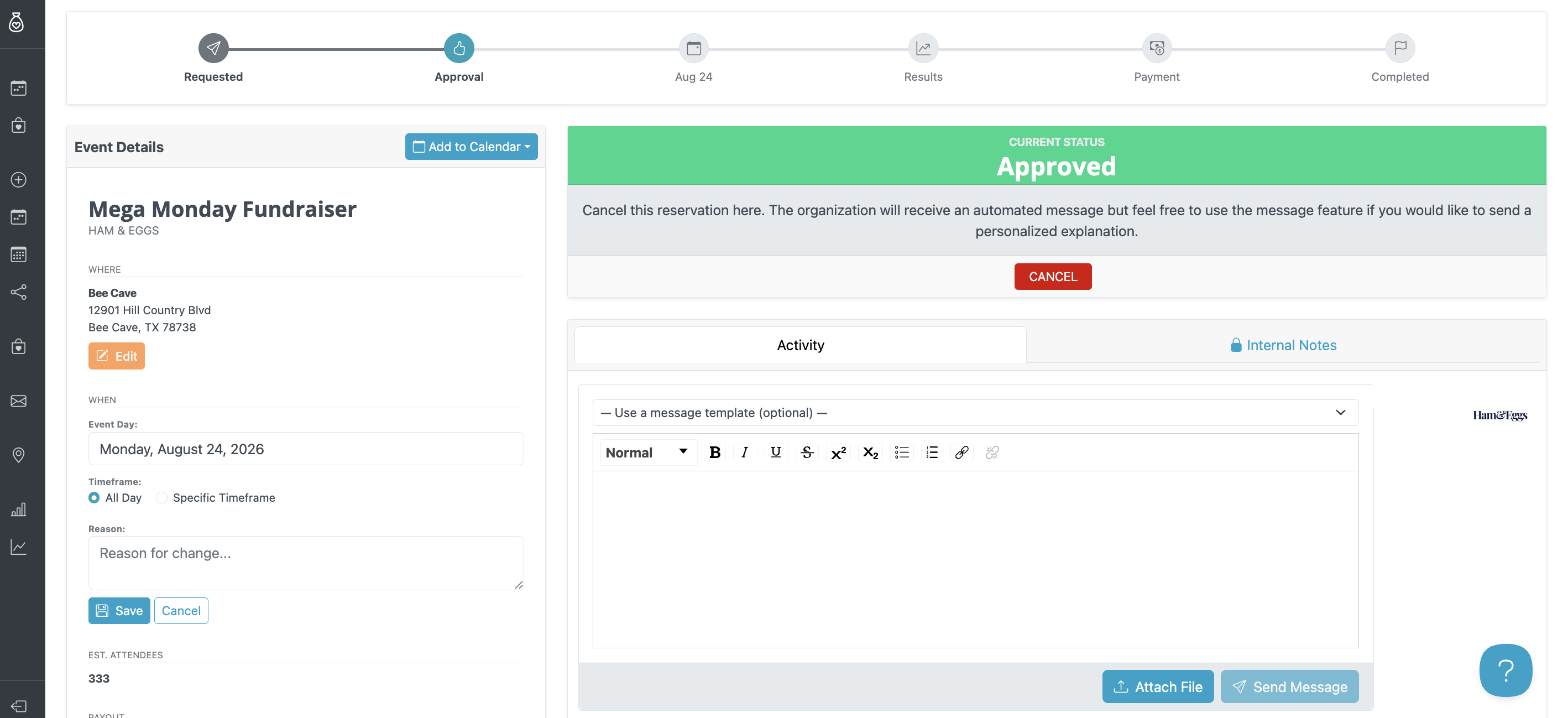
- Enter the reason for the change. This field is required.
- Click Save.
What Happens Next?
Once the change is saved:
- An automated email will be sent to everyone associated with the event with the updated event details.
- A revised calendar invitation will also be sent.
Refreshing Creative Files
The Creative Files may need to be refreshed for the date to update. To refresh the Creative Files, click the orange Refresh button at the top of the Creative Files section on the event page.

