How do I change the organization name on the flyer?
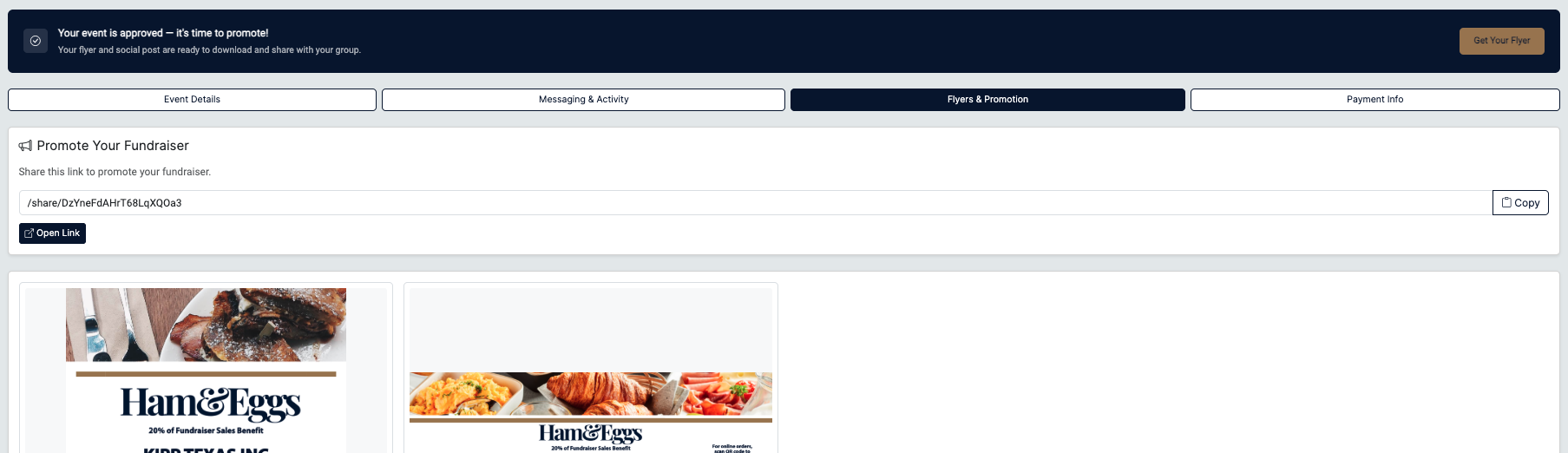
To update the organization name on your flyer, go to the Flyers & Promotions tab within your reservation.
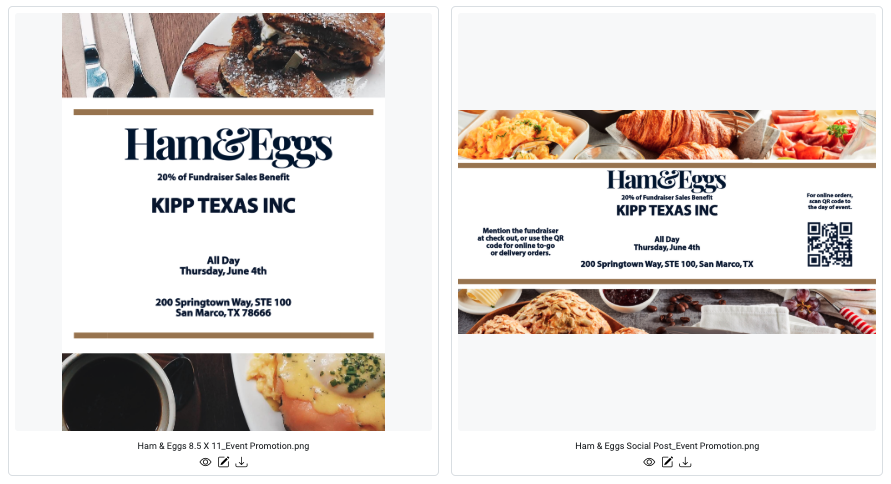
Next, click the Edit icon under the asset you want to update. (Hint: it looks like a small box with a pencil.)
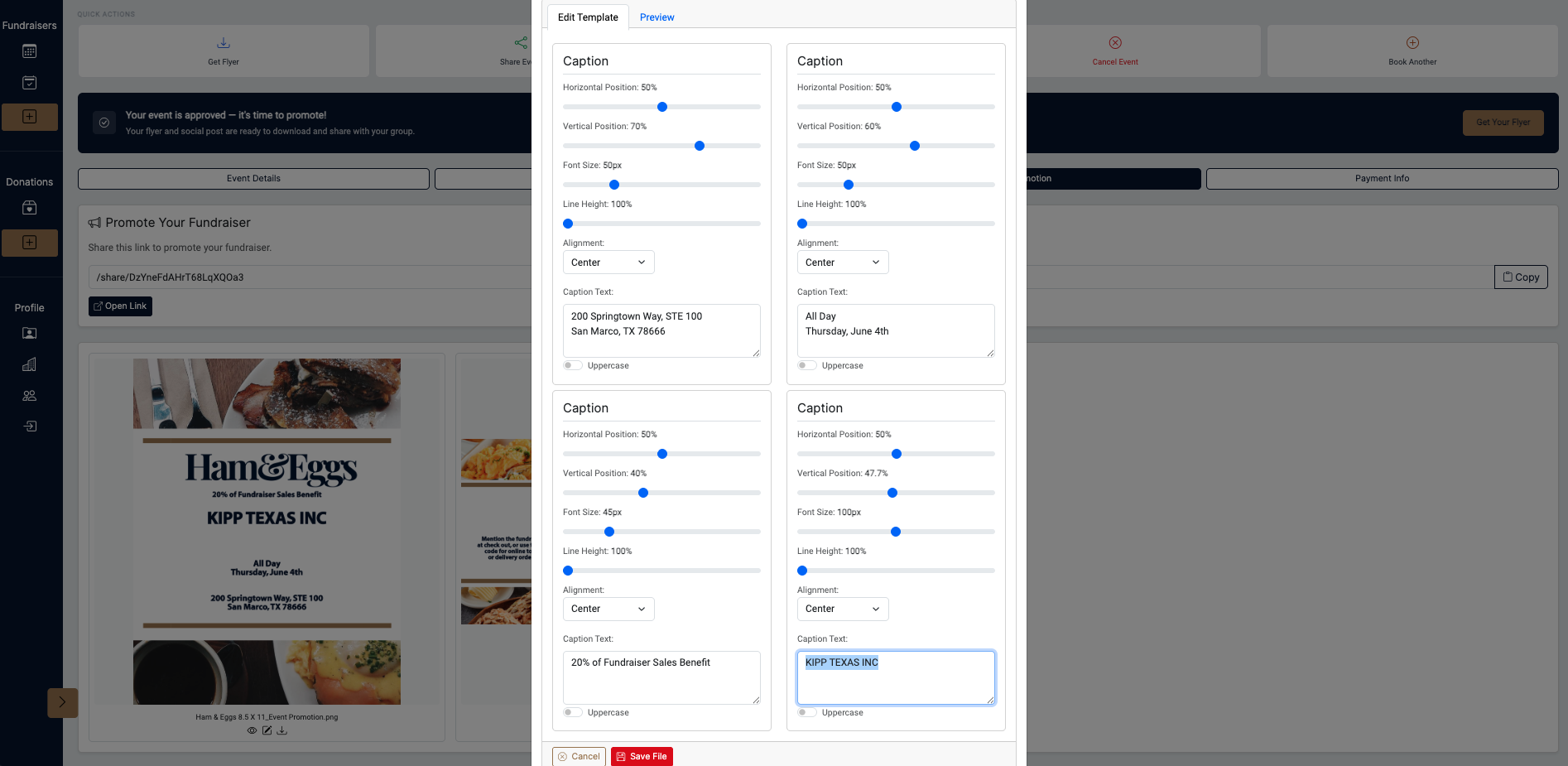
From there, you can update the organization name as shown in the last screenshot. Be sure to click Save to apply your changes.